
 Jeremy Stretch
af5dba2e0d
Merge pull request #386 from digitalocean/develop
Jeremy Stretch
af5dba2e0d
Merge pull request #386 from digitalocean/develop
|
9 rokov pred | |
|---|---|---|
| docker | 10 rokov pred | |
| docs | 9 rokov pred | |
| netbox | 9 rokov pred | |
| scripts | 10 rokov pred | |
| .gitignore | 10 rokov pred | |
| .travis.yml | 10 rokov pred | |
| CONTRIBUTING.md | 9 rokov pred | |
| Dockerfile | 9 rokov pred | |
| LICENSE.txt | 10 rokov pred | |
| README.md | 9 rokov pred | |
| docker-compose.yml | 9 rokov pred | |
| mkdocs.yml | 9 rokov pred | |
| requirements.txt | 9 rokov pred | |
| upgrade.sh | 10 rokov pred |
README.md
NetBox
NetBox is an IP address management (IPAM) and data center infrastructure management (DCIM) tool. Initially conceived by the network engineering team at DigitalOcean, NetBox was developed specifically to address the needs of network and infrastructure engineers.
NetBox runs as a web application atop the Django Python framework with a PostgreSQL database. For a complete list of requirements, see requirements.txt. The code is available on GitHub.
The complete documentation for Netbox can be found at Read the Docs.
Questions? Comments? Please join us on IRC in #netbox on irc.freenode.net!
Build Status
| python 2.7 | |
|---|---|
| master |  |
| develop |  |
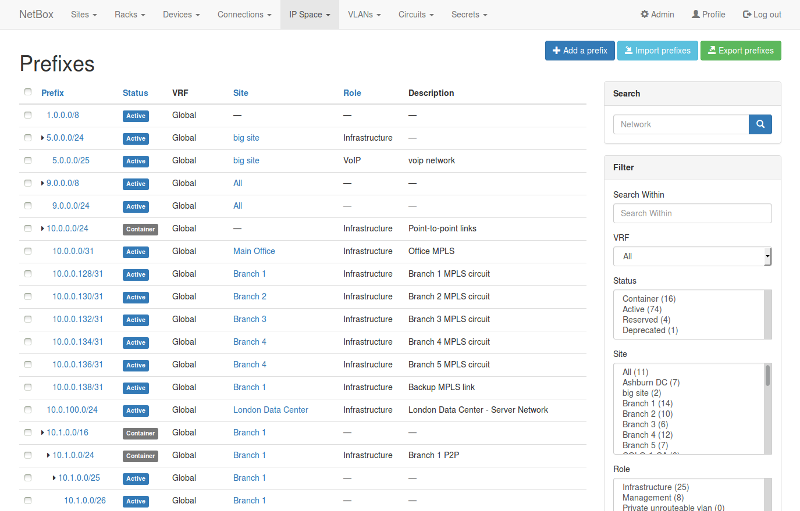
Screenshots


Installation
Please see the documentation for instructions on installing NetBox.
To upgrade NetBox, please download the latest release and run upgrade.sh.