

### [Gitleaks Action](https://github.com/marketplace/actions/gitleaks) now available for your workflows!
Audit git repos for secrets. Gitleaks provides a way for you to find unencrypted secrets and other unwanted data types in git repositories. As part of its core functionality, it provides:
* Audits for uncommitted changes
* Github and Gitlab support including support for bulk organization and repository owner (user) repository scans, as well as pull/merge request scanning for use in common CI workflows.
* Support for private repository scans, and repositories that require key based authentication
* Output in JSON formats for consumption in other reporting tools and frameworks
* Externalised configuration for environment specific customisation including regex rules
* High performance through the use of src-d's [go-git](https://github.com/src-d/go-git) framework
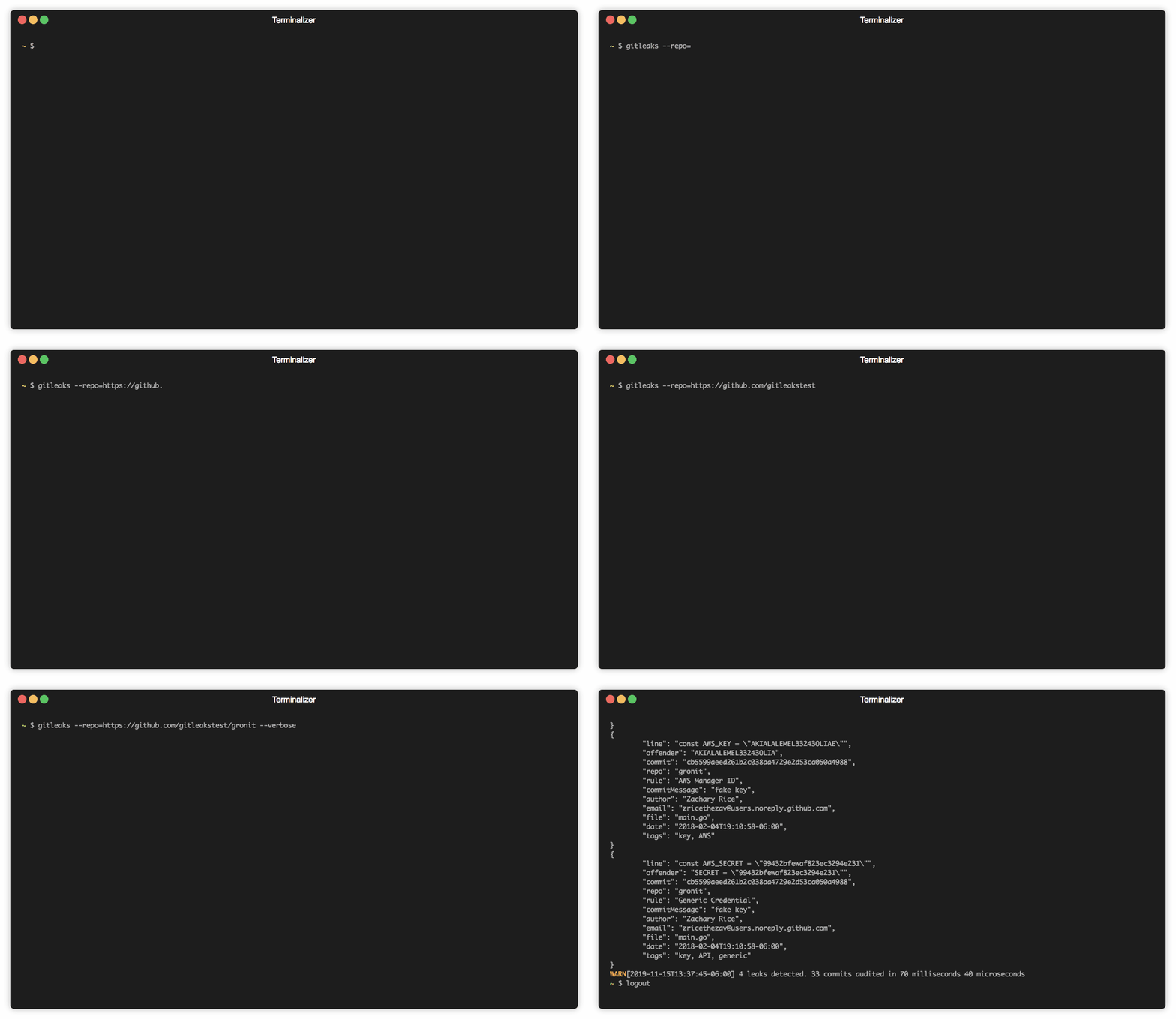
| `repo scan` |
|---|
| 
|
|
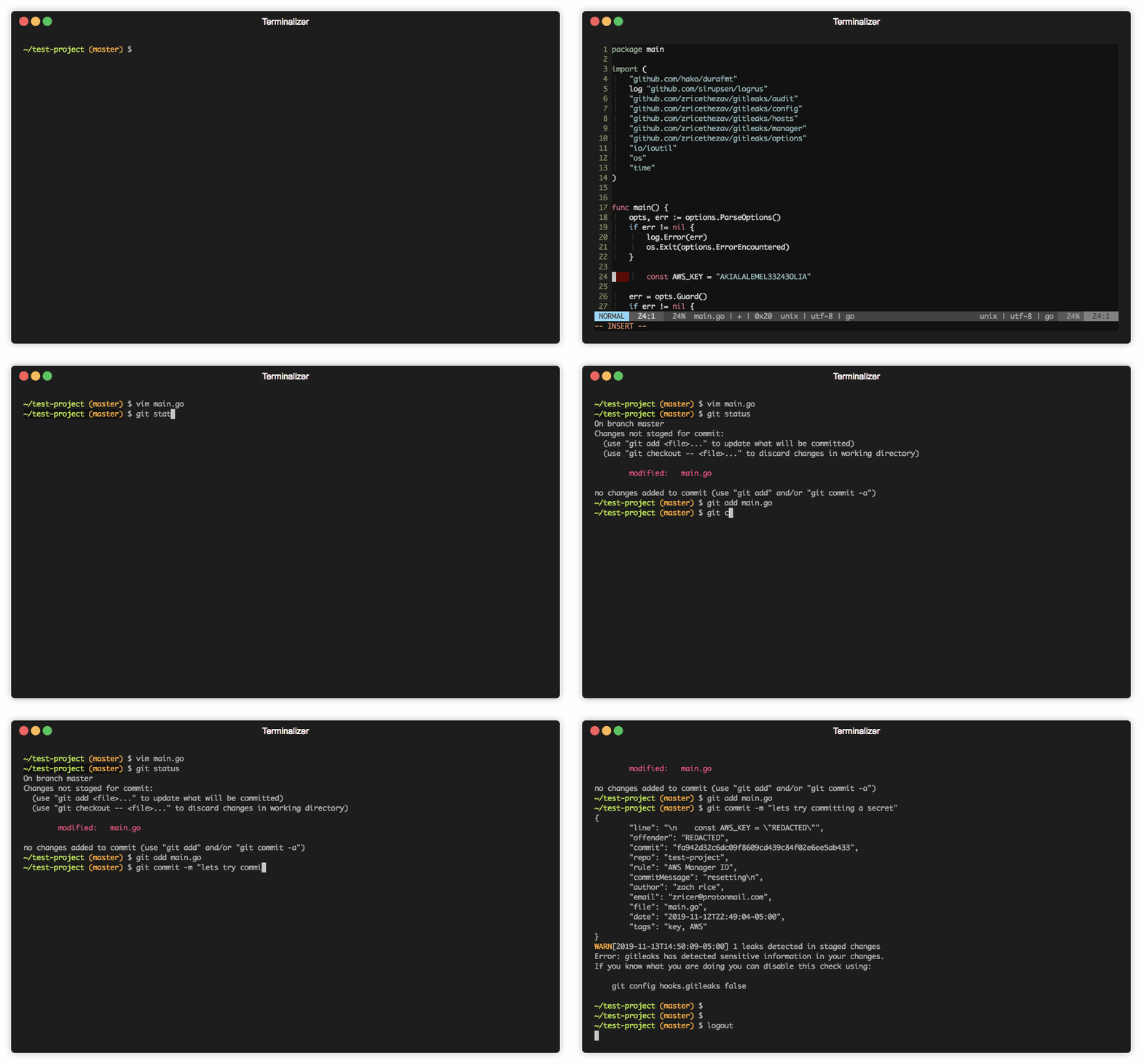
| `pre commit scan` |
|---|
| 
|
## Getting Started
Written in Go, gitleaks is available in binary form for many popular platforms and OS types from the [releases page](https://github.com/zricethezav/gitleaks/releases). Alternatively, executed via Docker or it can be installed using Go directly, as per the below;
#### MacOS
```
brew install gitleaks
```
#### Docker
```bash
docker pull zricethezav/gitleaks
```
#### Go
Ensure `GO111MODULE=on` is set as an env var
```bash
go get github.com/zricethezav/gitleaks/v4@latest
```
## Usage
gitleaks has a wide range of configuration options that can be adjusted at runtime or via a configuration file based on your specific requirements.
```
Usage:
gitleaks [OPTIONS]
Application Options:
-v, --verbose Show verbose output from audit
-r, --repo= Target repository
--config= config path
--disk Clones repo(s) to disk
--version version number
--username= Username for git repo
--password= Password for git repo
--access-token= Access token for git repo
--commit= sha of commit to audit
--files-at-commit= sha of commit to audit all files at commit or "latest" to scan the last commit of the repository
--threads= Maximum number of threads gitleaks spawns
--ssh-key= path to ssh key used for auth
--uncommitted run gitleaks on uncommitted code
--repo-path= Path to repo
--owner-path= Path to owner directory (repos discovered)
--branch= Branch to audit
--report= path to write json leaks file
--report-format= json or csv (default: json)
--redact redact secrets from log messages and leaks
--debug log debug messages
--repo-config Load config from target repo. Config file must be ".gitleaks.toml" or "gitleaks.toml"
--pretty Pretty print json if leaks are present
--commit-from= Commit to start audit from
--commit-to= Commit to stop audit
--timeout= Time allowed per audit. Ex: 10us, 30s, 1m, 1h10m1s
--depth= Number of commits to audit
--host= git hosting service like gitlab or github. Supported hosts include: Github, Gitlab
--baseurl= Base URL for API requests. Defaults to the public GitLab or GitHub API, but can be set to a domain endpoint to use with a self hosted server.
--org= organization to audit
--user= user to audit
--pr= pull/merge request url
--exclude-forks audit excludes forks
Help Options:
-h, --help Show this help message
```
### Docker usage examples
Run gitleaks against:
###### Public repository
```bash
docker run --rm --name=gitleaks zricethezav/gitleaks -v -r https://github.com/zricethezav/gitleaks.git
```
###### Local repository already cloned into /tmp/
```bash
docker run --rm --name=gitleaks -v /tmp/:/code/ zricethezav/gitleaks -v --repo-path=/code/gitleaks
```
By default repos cloned to memory. Using `--disk` for clone to disk or you can quickly out of memory.
For speed up analyze operation using `--threads` parameter, which set to `ALL - 1` threads at your instance CPU.
## Exit Codes
Gitleaks provides consistent exist codes to assist in automation workflows such as CICD platforms and bulk scanning.
```
0: no leaks
1: leaks present
2: error encountered
```
----
## Give Thanks
👋 If using gitleaks has made your job easier consider sponsoring me through github's sponsorship program or donating a little something
❤️ [sponsor](https://github.com/sponsors/zricethezav)
💵 [paypal](https://www.paypal.me/zricethezav)
₿itcoin:3GndEzRZa6rJ8ZpkLureUcc5TDHMYfpDxn
### Sponsors
These users are [sponsors](https://github.com/sponsors/zricethezav) of gitleaks:
[](https://github.com/adamdecaf) | [](https://github.com/gramidt) |
---|---|
[Adam Shannon](https://ashannon.us/) | [Granville Schmidt](https://cloudcompliance.ninja)
----
#### Logo Attribution
The Gitleaks logo uses the Git Logo created Jason Long is licensed under the Creative Commons Attribution 3.0 Unported License.